AMR Updating FPT Image in Flash
After the build is successful, the files required to update the OSPI flash image can be found in the build directory.
An update of the FPT table requires that the amr_ospi_fpt.bin pdi be written to flash via JTAG using the AMD Vivado™ hardware manager using the following steps.
1) Stop the AMI application using the following command.
Note: Before updating the FPGA image over JTAG, it is important to stop any communication between AMI (on the Host) and AMC (on the Card).
$ sudo rmmod ami
Only after stopping AMI is it safe to change the device image over JTAG.
2) If not done so, connect card to the host running Vivado using micro-USB cable and start the application.
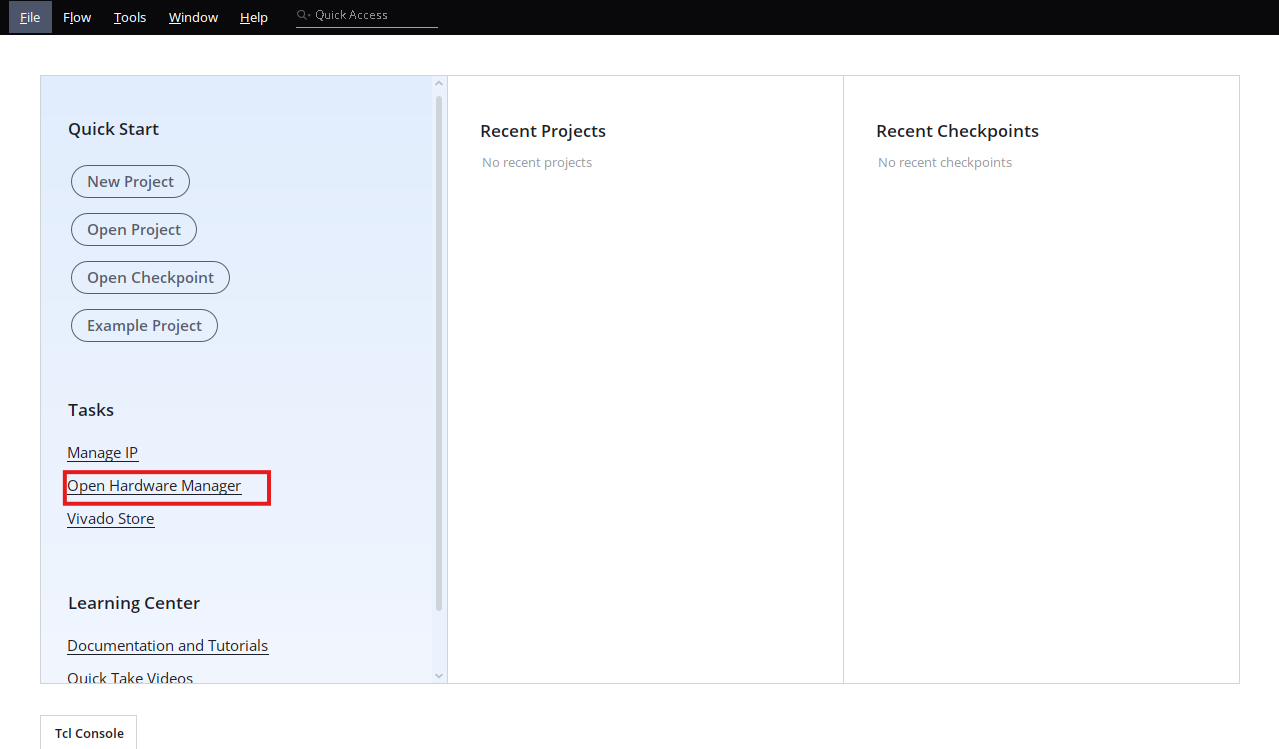
Select Open Hardware Manager
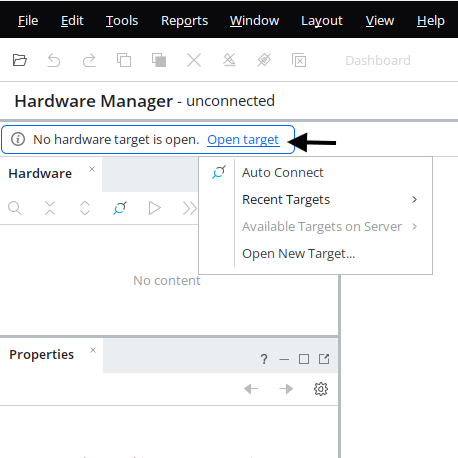
3) Select Open Target to connect to the AMD Alveo™ card you want to target.
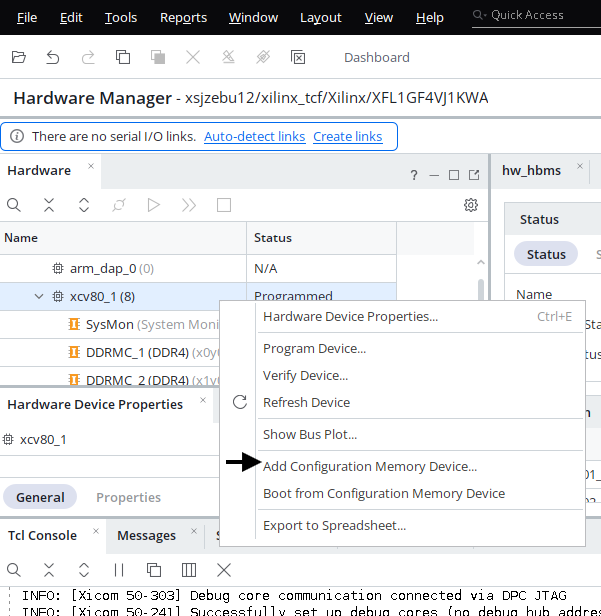
4) A list of available devices will be displayed in the hardware window. Right click on the device you wish to target (e.g. xcv80_1 when using the V80 card).
Select Add Configuration Memory Device
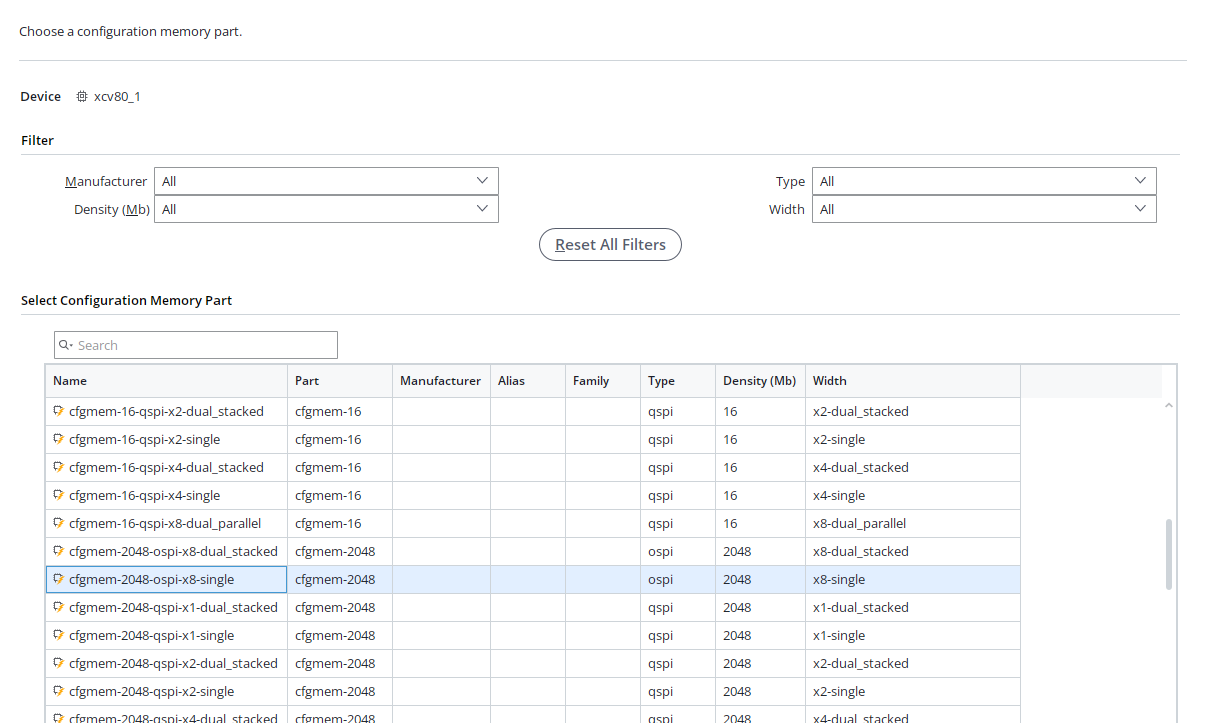
5) Select the appropriate Configuration Memory Part. Reference the following table to determine the applicable Memory part for the target Alveo card.
| Alveo Card | Configuration Memory Part | Type | Density (Mb) |
|---|---|---|---|
| V80 | cfgmem-2048-ospi-x8-single | ospi | 2048 |
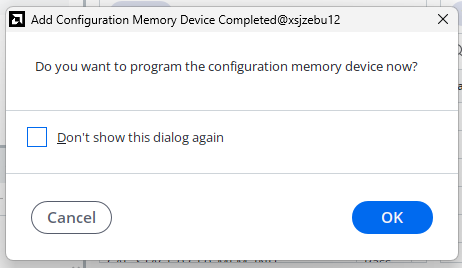
Select OK when asked if you want to program the configuration memory device now.
6) Select the amr_ospi_fpt.bin pdi from build directory
It is recommended that the Entire Configuration Memory Device option is selected from the Program Operations → Address Range Drop down menu, so that the flash memory is in a known state after FPT setup PDI update.
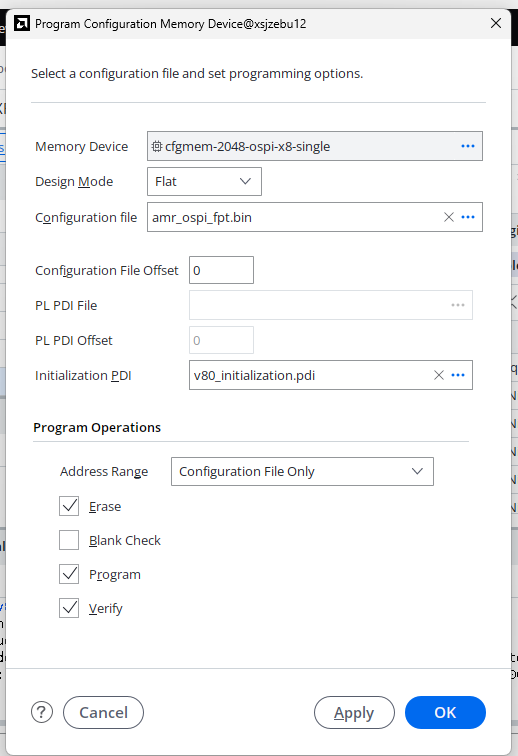
Note: In the Configuration File field, browse to and select the path to amr_ospi_fpt.bin file. For initial pdi browse and select the path to amr_ospi.bin file
Upon clicking OK, the initialization PDI is downloaded to the FPGA and used to transfer the Configuration PDI into the OSPI Flash Memory.
Tip: If the flash partition table is modified from the AMR example, a new FPT Setup PDI is generated by the AMR build flow to be programmed to OSPI.
7) When Finished, Hardware Manager will report that Flash Programming has completed successfully.
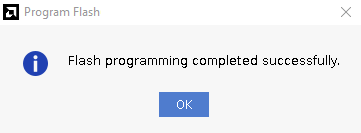
8) It is now necessary to perform a cold reboot of the Host server in order to boot the new design from flash.
9) When the restart has completed, verification that the update has completed correctly can be done by running the ami_tool overview command.
Note - if the ami_tool reports AMC other than READY then it is highly advised not to run cfgmem_program commands. This is most likely due to either a) something went wrong with the FPT update, or b) the wrong PDI was used for the FPT update.
See AMI Tool Overview for more information on the different AMC states.
~$ ami_tool overview

 AMI
---------------------------------------------------------
Version        | 3.0.0  (0)
Branch         |
Hash           | 15a98eb71fdee61c662ff155227c0525dc3cbbd7
Hash Date      | 20260317
Driver Version | 3.0.0  (0)


BDF     | Device        | Serial Number | UUID                             | AMC        | State
-----------------------------------------------------------------------------------------------
21:00.0 | ALVEO V80 PQ | XFL1GF4VJ1KW  | 00000000000000000000000032314bde | 3.0.0  (0) | READY